
Stop Manual Ticket Sorting: Meet Swifteq’s Ticket Classification
Sorin Alupoaie · · 8 minutes read

Support teams deal with high ticket volumes, multiple contact reasons, and growing pressure to route conversations quickly and accurately.
What slows them down is not always the complexity of the issue. It is often the time spent manually reviewing incoming tickets, deciding what they are about, tagging them correctly, updating fields, and making sure every ticket reaches the right workflow.
Over time, that manual triage creates delays, inconsistent data, and extra work for support teams.
Ticket Classification was built to remove that bottleneck.
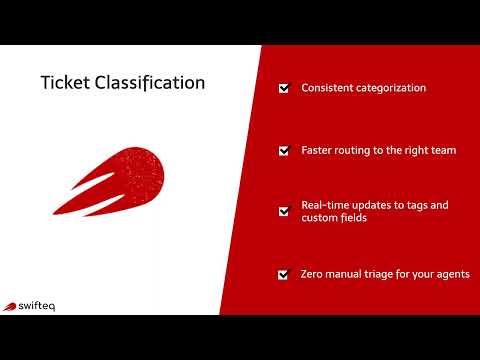
It is Swifteq’s AI-powered Zendesk app that automatically classifies incoming tickets into your own business-specific intents and topics, then updates tags and custom fields in real time.
Your team decides how tickets should be categorized. AI applies that logic consistently, across every channel and every volume spike.
A Smarter Way to Classify Tickets in Zendesk
Ticket Classification fits directly into your Zendesk workflow.
Instead of asking agents to manually sort tickets, the app analyzes incoming conversations and identifies what they are about based on the workflows you define. These workflows can represent anything your team needs to track, such as:
- reasons to contact
- refund requests
- delivery issues
- billing questions
- technical problems
- sentiment or urgency
Once the classification is detected, the app can automatically apply tags and populate custom fields, giving your support team clean, structured data from the start.
This improves routing, reporting, automations, and day-to-day queue management without requiring agents to do the sorting themselves.
Define Intents and Topics That Match Your Business
Every support team has its own way of organizing customer conversations.
Some teams want to classify tickets by contact reason. Others need product categories, subscription issues, support language, or sentiment.
Ticket Classification gives you the flexibility to define your own intents and topics in plain language, based on how your business actually works.
There are no rigid templates and no forced taxonomy.
You describe the categories you care about, and the AI uses those definitions to classify each incoming ticket accordingly.
That means your classification logic stays aligned with your internal workflows, reporting needs, and customer journey.

Automatically Apply Tags and Update Fields
Classification becomes far more useful when it powers the rest of Zendesk.
Once a ticket is classified, Ticket Classification can automatically apply the right tags and update dropdown or multi-select custom fields. That means your views stay organized, triggers work as expected, and reporting is built on structured, reliable data.
Instead of asking agents to remember which tags to add or which field values to select, the app handles that automatically and consistently.
This is especially valuable for teams that want to:
- reduce manual triage
- improve ticket routing
- trigger automations based on intent
- track contact reasons more accurately
- maintain cleaner Zendesk data across teams and channels

Set Up Multiple Classification Workflows with Simple Rules
Support teams often need more than one type of classification.
For example, you may want one workflow for Reasons to Contact, another for Sentiment, and another for a specific brand or support queue.
Ticket Classification allows you to create multiple workflows, each with its own set of categories and logic. You can configure them using simple, natural language definitions instead of building complicated keyword rules or maintaining long rule trees over time.
This makes the app flexible enough for growing teams, multibrand environments, and more advanced support operations.
Discover Intents Automatically from Your Past Tickets
One of the hardest parts of ticket classification is getting started.
Before automation can work well, teams usually need to define a taxonomy of contact reasons or intents.
In practice, that often means reading through hundreds of past tickets, identifying patterns manually, writing down categories, and then turning those into a usable workflow.
That process is slow, repetitive, and difficult to prioritize for busy support teams.
That is why we introduced Auto-generate.
This new feature helps you discover intents automatically from your historical tickets, so you can build a classification workflow much faster.
Instead of starting from a blank page, you can ask the app to analyze past tickets and propose the main intents it detects. In just a few minutes, you get a list of suggested categories that you can review, refine, and add directly to your workflow.

How the Auto-generate Feature Works
The process is simple.
When creating or editing a classification workflow, you can use the Auto-generate feature to analyze a selected group of past tickets. The app reviews recent conversations and identifies recurring reasons customers contacted your team.
You can optionally provide seed information to guide the output, such as:
- Existing values already used in a ticket field.
- Instructions about the type of intents you want to discover.
- Preferences around how broad or specific the categories should be.
You can also leave this blank and let the AI work without guidance.
For example, you might choose to analyze the last 30 days of tickets, up to 1,000 conversations. After processing that data, the app returns a list of proposed intents that reflect the most common topics in your support inbox.
From there, you can review the suggestions, make adjustments if needed, and add them directly to your workflow.
Once saved, all future tickets can be classified using those intents automatically.
Why This Matters for Support Teams
Most teams already have valuable ticket data. The problem is that it is often buried in past conversations and never converted into a usable classification system.
The Auto-generate feature turns that existing ticket history into a practical starting point for automation.
It helps teams:
- Launch classification faster.
- Avoid building taxonomies from scratch.
- Identify real contact reasons based on actual customer conversations.
- Improve reporting with more relevant intent categories.
- Create better routing and automation workflows from day one.
It also makes classification more accessible for teams that know they need better data, but have postponed the work because defining categories manually felt too time-consuming.
Real-Time Classification the Moment Tickets Arrive
Once your workflows are in place, Ticket Classification works automatically in real time.
As tickets are created or updated, the app analyzes them and assigns the appropriate classification. Tags and fields can then be updated immediately, before an agent has to step in.
That means agents open tickets that are already structured and ready for action.
Instead of spending time deciding where a ticket belongs, they can focus on understanding the issue and responding faster.
Fits Into Your Existing Zendesk Triggers and Automations
Ticket Classification is designed to work with the Zendesk processes you already have in place.
It can be triggered when tickets are created or updated, making it easy to connect AI-based classification with your current routing logic, SLA flows, escalation rules, and reporting setup.
You do not need to redesign how your support team works.
You simply add a layer of AI classification that improves consistency and removes manual sorting.
Major Benefits of Ticket Classification
Reduce Manual Triage Time
Agents no longer need to read every incoming ticket just to decide how it should be tagged or where it should go. AI handles the sorting automatically, freeing the team to focus on resolution instead of queue organization.
Faster Ticket Routing
When tags and custom fields are updated automatically, tickets can move to the right team, queue, or workflow much faster. This reduces delays and helps customers reach the right support path sooner.
Better Reporting and Analytics
Accurate reporting depends on structured and consistent classification data. Ticket Classification helps teams track contact reasons, identify trends, and analyze support performance based on reliable data instead of inconsistent manual tagging.
More Consistent Classification Across Agents and Channels
Manual classification varies from one person to another. AI applies the same logic every time, which creates more consistent data across agents, inboxes, and volume spikes.
Faster Setup for New Classification Workflows
With the new Auto-generate feature, teams can build their first workflow much faster by discovering intents from historical tickets instead of defining everything manually from scratch.
Stronger Automation in Zendesk
When ticket intent is detected early and accurately, teams can build better automations around routing, escalations, prioritization, and follow-up actions.
Built for Support Teams That Need More Structure Without More Manual Work
Ticket Classification is especially useful for teams that:
- Want to understand why customers contact support.
- Need cleaner Zendesk data for reporting.
- Rely on tags and custom fields for routing.
- Are scaling support volume without increasing headcount.
- Want to reduce repetitive manual triage.
- Need a flexible taxonomy that matches their business.
Whether you are building your first intent framework or improving an existing one, the app helps you create a more structured, automated support operation.
Pricing and Availability
Ticket Classification includes a 14-day free trial with no credit card required, and pricing starts at €99 per month.
It is available now for Zendesk teams that want to classify tickets automatically, improve data quality, and reduce manual support work.
Start Using Ticket Classification
If your team is still manually sorting tickets, adding tags by hand, or struggling to define a clear contact reason taxonomy, Ticket Classification can help.
It gives you a flexible way to classify tickets based on your business, automate tagging and field updates, and now even discover intents directly from your past conversations.


